jamesits/powerdns-admin
Production ready PowerDNS-Admin Docker image
378
jamesits/powerdns-admin repository overview
PowerDNS-Admin
A PowerDNS web interface with advanced features.



Features:
- Multiple domain management
- Domain template
- User management
- User access management based on domain
- User activity logging
- Support Local DB / SAML / LDAP / Active Directory user authentication
- Support Google / Github / OpenID OAuth
- Support Two-factor authentication (TOTP)
- Dashboard and pdns service statistics
- DynDNS 2 protocol support
- Edit IPv6 PTRs using IPv6 addresses directly (no more editing of literal addresses!)
- limited API for manipulating zones and records
Running PowerDNS-Admin
There are several ways to run PowerDNS-Admin. Following is a simple way to start PowerDNS-Admin with docker in development environment which has PowerDNS-Admin, PowerDNS server and MySQL Back-End Database.
Step 1: Changing configuration
The configuration file for development environment is located at configs/development.py, you can override some configs by editing the .env file.
Step 2: Build docker images
$ docker-compose build
Step 3: Start docker containers
$ docker-compose up
You can now access PowerDNS-Admin at url http://localhost:9191
NOTE: For other methods to run PowerDNS-Admin, please take look at WIKI pages.
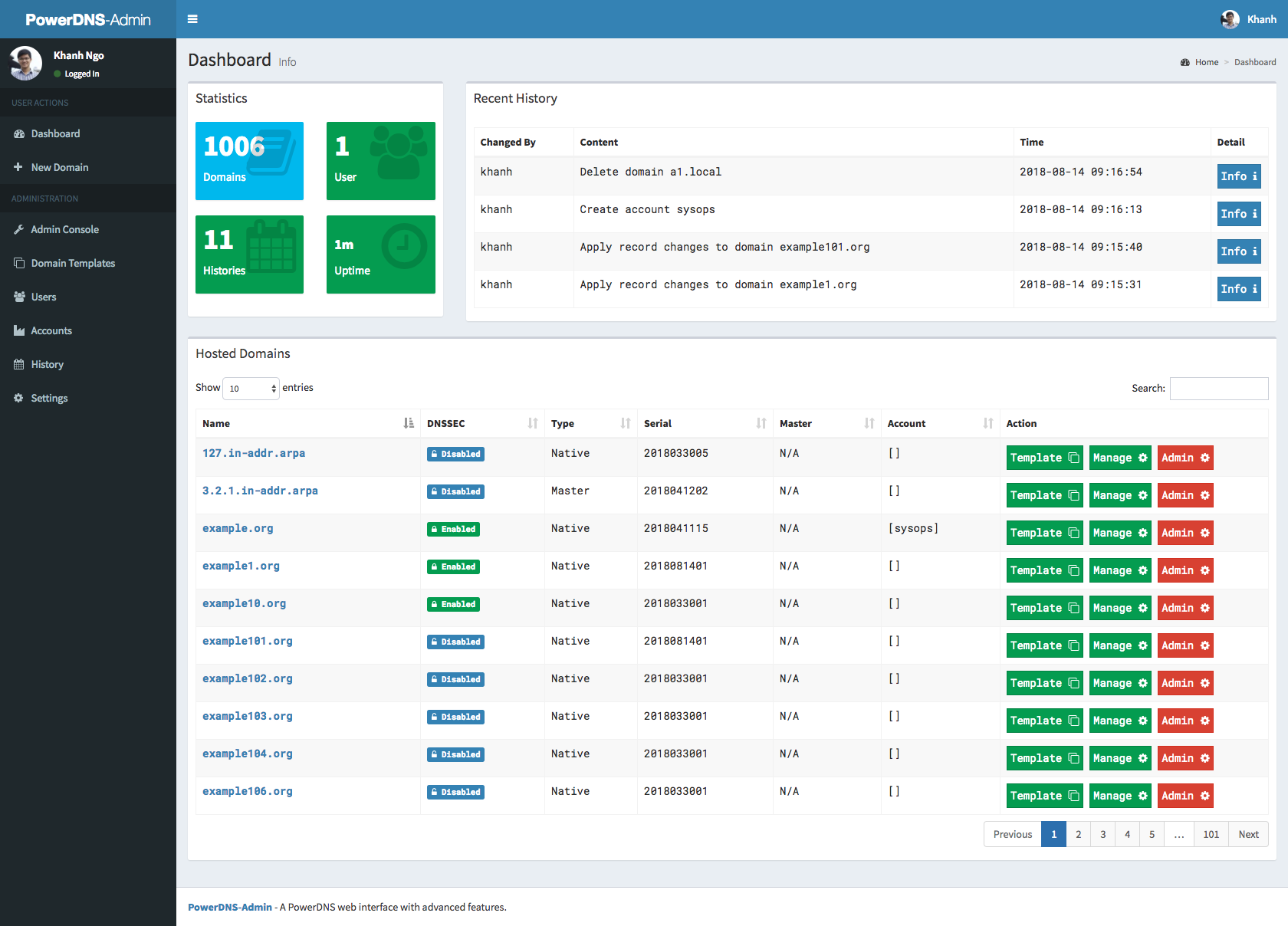
Screenshots
Running tests
NOTE: Tests will create __pycache__ folders which will be owned by root, which might be issue during rebuild
thus (e.g. invalid tar headers message) when such situation occurs, you need to remove those folders as root
- Build images
docker-compose -f docker-compose-test.yml build
- Run tests
docker-compose -f docker-compose-test.yml up
- Rerun tests
docker-compose -f docker-compose-test.yml down
To teardown previous environment
docker-compose -f docker-compose-test.yml up
To run tests again
API Usage
- run docker image docker-compose up, go to UI http://localhost:9191, at http://localhost:9191/swagger is swagger API specification
- click to register user, type e.g. user: admin and password: admin
- login to UI in settings enable allow domain creation for users,
now you can create and manage domains with admin account and also ordinary users - Encode your user and password to base64, in our example we have user admin and password admin so in linux cmd line we type:
someuser@somehost:~$echo -n 'admin:admin'|base64
YWRtaW46YWRtaW4=
we use generated output in basic authentication, we authenticate as user, with basic authentication, we can create/delete/get zone and create/delete/get/update apikeys
creating domain:
curl -L -vvv -H 'Content-Type: application/json' -H 'Authorization: Basic YWRtaW46YWRtaW4=' -X POST http://localhost:9191/api/v1/pdnsadmin/zones --data '{"name": "yourdomain.com.", "kind": "NATIVE", "nameservers": ["ns1.mydomain.com."]}'
creating apikey which has Administrator role, apikey can have also User role, when creating such apikey you have to specify also domain for which apikey is valid:
curl -L -vvv -H 'Content-Type: application/json' -H 'Authorization: Basic YWRtaW46YWRtaW4=' -X POST http://localhost:9191/api/v1/pdnsadmin/apikeys --data '{"description": "masterkey","domains":[], "role": "Administrator"}'
call above will return response like this:
[{"description": "samekey", "domains": [], "role": {"name": "Administrator", "id": 1}, "id": 2, "plain_key": "aGCthP3KLAeyjZI"}]
we take plain_key and base64 encode it, this is the only time we can get API key in plain text and save it somewhere:
someuser@somehost:~$echo -n 'aGCthP3KLAeyjZI'|base64
YUdDdGhQM0tMQWV5alpJ
We can use apikey for all calls specified in our API specification (it tries to follow powerdns API 1:1, only tsigkeys endpoints are not yet implemented), don't forget to specify Content-Type!
getting powerdns configuration:
curl -L -vvv -H 'Content-Type: application/json' -H 'X-API-KEY: YUdDdGhQM0tMQWV5alpJ' -X GET http://localhost:9191/api/v1/servers/localhost/config
creating and updating records:
curl -X PATCH -H 'Content-Type: application/json' --data '{"rrsets": [{"name": "test1.yourdomain.com.","type": "A","ttl": 86400,"changetype": "REPLACE","records": [ {"content": "192.0.2.5", "disabled": false} ]},{"name": "test2.yourdomain.com.","type": "AAAA","ttl": 86400,"changetype": "REPLACE","records": [ {"content": "2001:db8::6", "disabled": false} ]}]}' -H 'X-API-Key: YUdDdGhQM0tMQWV5alpJ' http://127.0.0.1:9191/api/v1/servers/localhost/zones/yourdomain.com.
getting domain:
curl -L -vvv -H 'Content-Type: application/json' -H 'X-API-KEY: YUdDdGhQM0tMQWV5alpJ' -X GET http://localhost:9191/api/v1/servers/localhost/zones/yourdomain.com
list zone records:
curl -H 'Content-Type: application/json' -H 'X-API-Key: YUdDdGhQM0tMQWV5alpJ' http://localhost:9191/api/v1/servers/localhost/zones/yourdomain.com
add new record:
curl -H 'Content-Type: application/json' -X PATCH --data '{"rrsets": [ {"name": "test.yourdomain.com.", "type": "A", "ttl": 86400, "changetype": "REPLACE", "records": [ {"content": "192.0.5.4", "disabled": false } ] } ] }' -H 'X-API-Key: YUdDdGhQM0tMQWV5alpJ' http://localhost:9191/api/v1/servers/localhost/zones/yourdomain.com | jq .
update record:
curl -H 'Content-Type: application/json' -X PATCH --data '{"rrsets": [ {"name": "test.yourdomain.com.", "type": "A", "ttl": 86400, "changetype": "REPLACE", "records": [ {"content": "192.0.2.5", "disabled": false, "name": "test.yourdomain.com.", "ttl": 86400, "type": "A"}]}]}' -H 'X-API-Key: YUdDdGhQM0tMQWV5alpJ' http://localhost:9191/api/v1/servers/localhost/zones/yourdomain.com | jq .
delete record:
curl -H 'Content-Type: application/json' -X PATCH --data '{"rrsets": [ {"name": "test.yourdomain.com.", "type": "A", "ttl": 86400, "changetype": "DELETE"}]}' -H 'X-API-Key: YUdDdGhQM0tMQWV5alpJ' http://localhost:9191/api/v1/servers/localhost/zones/yourdomain.com | jq
Generate ER diagram
apt-get install python-dev graphviz libgraphviz-dev pkg-config
pip install graphviz mysqlclient ERAlchemy
docker-compose up -d
source .env
eralchemy -i 'mysql://${PDA_DB_USER}:${PDA_DB_PASSWORD}@'$(docker inspect powerdns-admin-mysql|jq -jr '.[0].NetworkSettings.Networks.powerdnsadmin_default.IPAddress')':3306/powerdns_admin' -o /tmp/output.pdf
Tag summary
Content type
Image
Digest
Size
422.2 MB
Last updated
about 7 years ago
docker pull jamesits/powerdns-admin