jgpelaez/example-springboot-rest-k8s repository overview
example-springboot-rest-k8s
Example application for spring boot ready to be deployed on k8s and OpenShift using Helm.
Aplication specification
It is RESTful application with Java implemented with Spring Boot.
Api support:
● Create a new product ● Retrieve a list of all products ● Update a product (Optional) ● Delete a product (soft deletion) (Optional)
Application build
Build with maven
With mvn will get an all in one java-jar
mvn install
Build with Docker
Docker build contains all for building the jar and store it in a Docker image
docker build . -t products-example
Build in Docker HUB
The repository can be automatically build by dockerhub in order to obtain a docker image in the DockerHub registry. This application has been built in the repository:
https://hub.docker.com/repository/docker/jgpelaez/example-springboot-rest-k8s
Application execution
Local Maven run:
mvn spring-boot:run
Kubernetes:
Run:
kubectl create ns products-example
helm3 upgrade --install products-example ./charts/springboot --namespace products-example -f chart-values.yaml
Access to the application
kubectl port-forward svc/products-example-back 11811
In the browser:
http://localhost:11811/swagger-ui.html
http://localhost:11811/product
Application api
Application api can be found with swagger in the url:
http://localhost:8080/swagger-ui.html
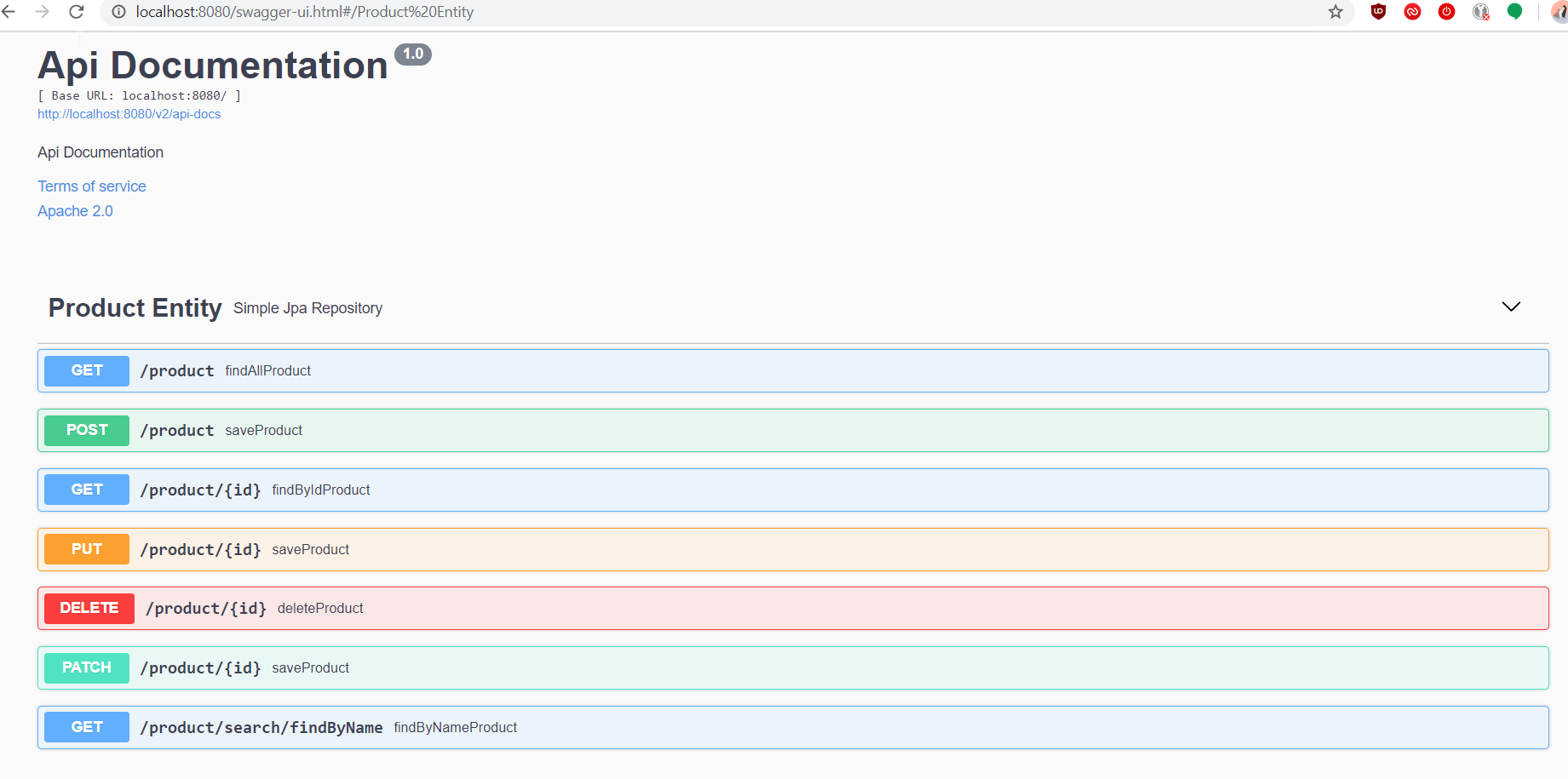
Application security
The helm chart includes a security layer with an authentication proxy, all requests will pass through this proxy with basic http authentication.
Application Description
Database
The persistence in the aplication is done with an SQL database. It's configurable to use H2 for testing purposes and postgresql for production
Database deployment in Kubernetes
The database deployment is based on the postgresql helm chart, and deployed with the command:
helm3 upgrade --install db stable/postgresql
Database creation
The database creation and upgrades is done using liquibase, every update will contain the scripts for database update.
The database creation is handled by the yaml and sql files in the src/main/resources/db folder
TO IMPROVE
- Parametrize usage of the proxy sidecar
- Parametrize with helm values the secret of the proxy sidecar
- Create a CI/CD build pipeline
- Set flags for Java for correcto usage of memory with containers
Tag summary
Content type
Image
Digest
Size
96.2 MB
Last updated
over 6 years ago
docker pull jgpelaez/example-springboot-rest-k8s