liquidinvestigations/libre-translate
build of libretranslate v1.2.7 with models included
1.1K
liquidinvestigations/libre-translate repository overview
LibreTranslate
Try it online! | API Docs | Community Forum





Free and Open Source Machine Translation API, entirely self-hosted. Unlike other APIs, it doesn't rely on proprietary providers such as Google or Azure to perform translations. Instead, its translation engine is powered by the open source Argos Translate library.
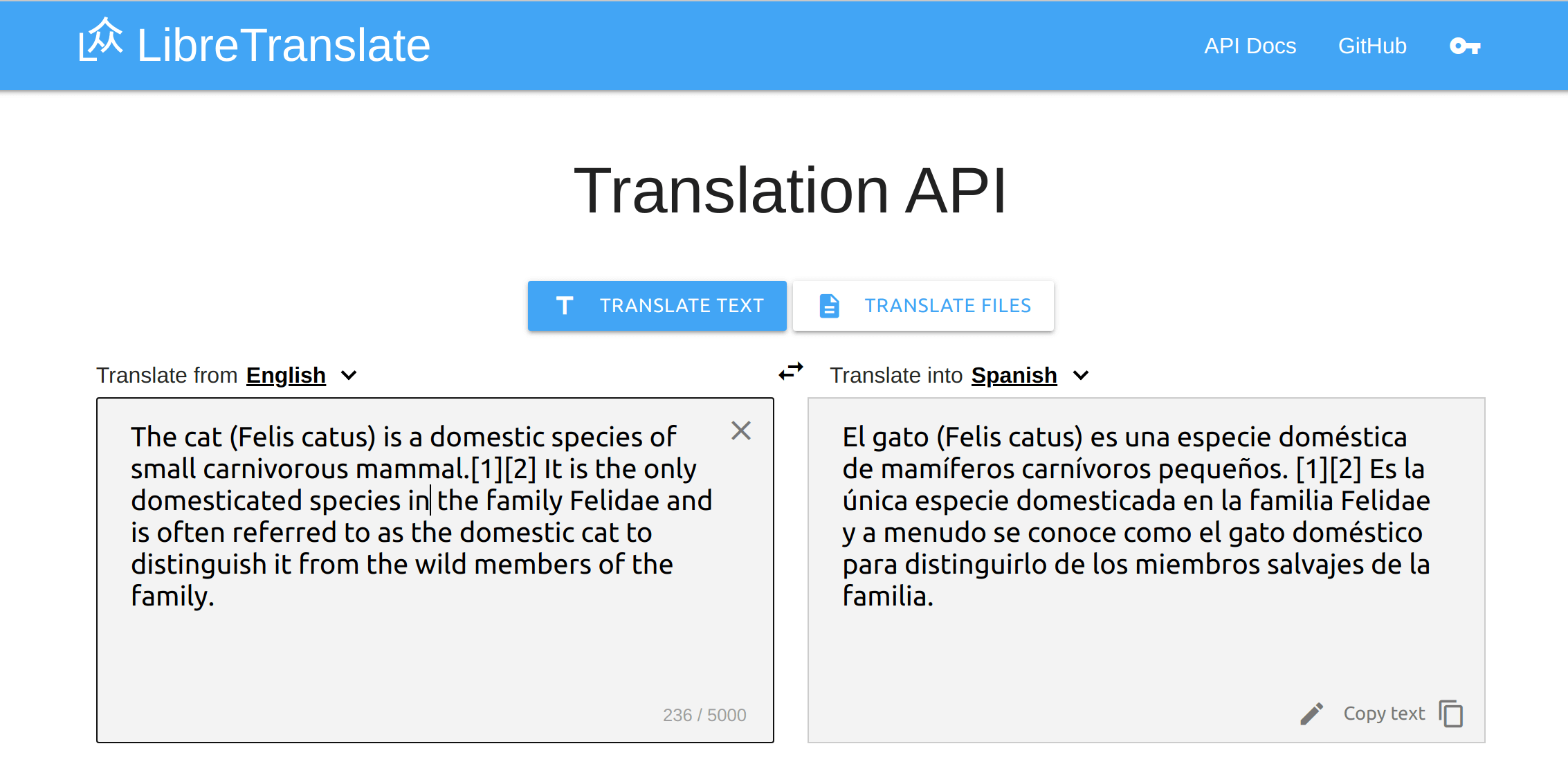
API Examples
Simple
Request:
const res = await fetch("https://libretranslate.com/translate", {
	method: "POST",
	body: JSON.stringify({
		q: "Hello!",
		source: "en",
		target: "es"
	}),
	headers: { "Content-Type": "application/json" }
});

console.log(await res.json());
Response:
{
    "translatedText": "¡Hola!"
}
Auto Detect Language
Request:
const res = await fetch("https://libretranslate.com/translate", {
	method: "POST",
	body: JSON.stringify({
		q: "Ciao!",
		source: "auto",
		target: "en"
	}),
	headers: { "Content-Type": "application/json" }
});

console.log(await res.json());
Response:
{
    "translatedText": "Bye!"
}
HTML (beta)
Request:
const res = await fetch("https://libretranslate.com/translate", {
	method: "POST",
	body: JSON.stringify({
		q: '<p class="green">Hello!</p>',
		source: "en",
		target: "es",
		format: "html"
	}),
	headers: { "Content-Type": "application/json" }
});

console.log(await res.json());
Response:
{
    "translatedText": "<p class=\"green\">¡Hola!</p>"
}
Install and Run
You can run your own API server with just a few lines of setup!
Make sure you have Python installed (3.8 or higher is recommended), then simply run:
pip install libretranslate
libretranslate [args]
Then open a web browser to http://localhost:5000
If you're on Windows, we recommend you Run with Docker instead.
On Ubuntu 20.04 you can also use the install script available at https://github.com/argosopentech/LibreTranslate-init
Build and Run
If you want to make changes to the code, you can build from source, and run the API:
git clone https://github.com/LibreTranslate/LibreTranslate
cd LibreTranslate
pip install -e .
libretranslate [args]

# Or
python main.py [args]
Then open a web browser to http://localhost:5000
Run with Docker
Simply run:
docker run -ti --rm -p 5000:5000 libretranslate/libretranslate
Then open a web browser to http://localhost:5000
Build with Docker
docker build [--build-arg with_models=true] -t libretranslate .
If you want to run the Docker image in a complete offline environment, you need to add the --build-arg with_models=true parameter. Then the language models are downloaded during the build process of the image. Otherwise these models get downloaded on the first run of the image/container.
Run the built image:
docker run -it -p 5000:5000 libretranslate [args]
Or build and run using docker-compose:
docker-compose up -d --build
Feel free to change the
docker-compose.yml file to adapt it to your deployment needs, or use an extradocker-compose.prod.ymlfile for your deployment configuration.
Arguments
| Argument | Description | Default | Env. name |
|---|---|---|---|
| --host | Set host to bind the server to | 127.0.0.1 | LT_HOST |
| --port | Set port to bind the server to | 5000 | LT_PORT |
| --char-limit | Set character limit | No limit | LT_CHAR_LIMIT |
| --req-limit | Set maximum number of requests per minute per client | No limit | LT_REQ_LIMIT |
| --batch-limit | Set maximum number of texts to translate in a batch request | No limit | LT_BATCH_LIMIT |
| --ga-id | Enable Google Analytics on the API client page by providing an ID | No tracking | LT_GA_ID |
| --debug | Enable debug environment | False | LT_DEBUG |
| --ssl | Whether to enable SSL | False | LT_SSL |
| --frontend-language-source | Set frontend default language - source | en | LT_FRONTEND_LANGUAGE_SOURCE |
| --frontend-language-target | Set frontend default language - target | es | LT_FRONTEND_LANGUAGE_TARGET |
| --frontend-timeout | Set frontend translation timeout | 500 | LT_FRONTEND_TIMEOUT |
| --api-keys | Enable API keys database for per-user rate limits lookup | Don't use API keys | LT_API_KEYS |
| --require-api-key-origin | Require use of an API key for programmatic access to the API, unless the request origin matches this domain | No restrictions on domain origin | LT_REQUIRE_API_KEY_ORIGIN |
| --load-only | Set available languages | all from argostranslate | LT_LOAD_ONLY |
| --suggestions | Allow user suggestions | false | LT_SUGGESTIONS |
| --disable-files-translation | Disable files translation | false | LT_DISABLE_FILES_TRANSLATION |
| --disable-web-ui | Disable web ui | false | LT_DISABLE_WEB_UI |
Note that each argument has an equivalent environment variable that can be used instead. The env. variables overwrite the default values but have lower priority than the command aguments and are particularly useful if used with Docker. The environment variable names are the upper-snake-case of the equivalent command argument's name with a LT prefix.
Run with WSGI and Gunicorn
pip install gunicorn
gunicorn --bind 0.0.0.0:5000 'wsgi:app'
You can pass application arguments directly to Gunicorn via:
gunicorn --bind 0.0.0.0:5000 'wsgi:app(api_keys=True)'
Run with Kubernetes
See "LibreTranslate: your own translation service on Kubernetes" by JM Robles
Manage API Keys
LibreTranslate supports per-user limit quotas, e.g. you can issue API keys to users so that they can enjoy higher requests limits per minute (if you also set --req-limit). By default all users are rate-limited based on --req-limit, but passing an optional api_key parameter to the REST endpoints allows a user to enjoy higher request limits.
To use API keys simply start LibreTranslate with the --api-keys option.
Add New Keys
To issue a new API key with 120 requests per minute limits:
ltmanage keys add 120
Remove Keys
ltmanage keys remove <api-key>
View Keys
ltmanage keys
Language Bindings
You can use the LibreTranslate API using the following bindings:
- Rust: https://github.com/DefunctLizard/libretranslate-rs
- Node.js: https://github.com/franciscop/translate
- .Net: https://github.com/sigaloid/LibreTranslate.Net
- Go: https://github.com/SnakeSel/libretranslate
- Python: https://github.com/argosopentech/LibreTranslate-py
- C++: https://github.com/argosopentech/LibreTranslate-cpp
- Unix: https://github.com/argosopentech/LibreTranslate-sh
Discourse Plugin
You can use this discourse translator plugin to translate Discourse topics. To install it simply modify /var/discourse/containers/app.yml:
## Plugins go here
## see https://meta.discourse.org/t/19157 for details
hooks:
  after_code:
    - exec:
        cd: $home/plugins
        cmd:
          - git clone https://github.com/discourse/docker_manager.git
          - git clone https://github.com/LibreTranslate/discourse-translator
	  ...
Then issue ./launcher rebuild app. From the Discourse's admin panel then select "LibreTranslate" as a translation provider and set the relevant endpoint configurations.
Mobile Apps
- LibreTranslater is an Android app available on the Play Store and in the F-Droid store that uses the LibreTranslate API.
Web browser
- minbrowser is a web browser with integrated LibreTranslate support.
- A LibreTranslate Firefox addon is currently a work in progress.
Mirrors
This is a list of public LibreTranslate instances, some require an API key. If you want to add a new URL, please open a pull request.
| URL | API Key Required | Payment Link | Cost |
|---|---|---|---|
| libretranslate.com | :heavy_check_mark: | Buy | $9 / month, 80 requests / minute limit |
| libretranslate.de | - | - | |
| translate.mentality.rip | - | - | |
| translate.argosopentech.com | - | - | |
| translate.api.skitzen.com | - | - | |
| trans.zillyhuhn.com | - | - | |
| libretranslate.esmailelbob.xyz | - | - | |
| libretranslate.pussthecat.org | - | - |
Adding New Languages
To add new languages you first need to train an Argos Translate model. See this video for details.
Roadmap
Help us by opening a pull request!
- A docker image (thanks @vemonet !)
- Auto-detect input language (thanks @vemonet !)
- User authentication / tokens
- Language bindings for every computer language
- Improved translations
FAQ
Can I use your API server at libretranslate.com for my application in production?
In short, no. You need to buy an API key. You can always run LibreTranslate for free on your own server of course.
Can I use LibreTranslate behind a reverse proxy, like Apache2?
Yes, here is an example Apache2 config that redirects a subdomain (with HTTPS certificate) to LibreTranslate running on a docker at localhost.
sudo docker run -ti --rm -p 127.0.0.1:5000:5000 libretranslate/libretranslate
You can remove 127.0.0.1 on the above command if you want to be able to access it from domain.tld:5000, in addition to subdomain.domain.tld (this can be helpful to determine if there is an issue with Apache2 or the docker container).
Add --restart unless-stopped if you want this docker to start on boot, unless manually stopped.
Apache config
Replace [YOUR_DOMAIN] with your full domain; for example, translate.domain.tld or libretranslate.domain.tld.
Remove # on the ErrorLog and CustomLog lines to log requests.
#Libretranslate

#Redirect http to https
<VirtualHost *:80>
    ServerName http://[YOUR_DOMAIN]
    Redirect / https://[YOUR_DOMAIN]
    # ErrorLog ${APACHE_LOG_DIR}/error.log
    # CustomLog ${APACHE_LOG_DIR}/tr-access.log combined
 </VirtualHost>

#https
<VirtualHost *:443>
    ServerName https://[YOUR_DOMAIN]

    ProxyPass / http://127.0.0.1:5000/
    ProxyPassReverse / http://127.0.0.1:5000/

    SSLEngine on
    SSLCertificateFile /etc/letsencrypt/live/[YOUR_DOMAIN]/fullchain.pem
    SSLCertificateKeyFile /etc/letsencrypt/live/[YOUR_DOMAIN]/privkey.pem
    SSLCertificateChainFile /etc/letsencrypt/live/[YOUR_DOMAIN]/fullchain.pem

    # ErrorLog ${APACHE_LOG_DIR}/tr-error.log
    # CustomLog ${APACHE_LOG_DIR}/tr-access.log combined
</VirtualHost>
Add this to an existing site config, or a new file in /etc/apache2/sites-available/new-site.conf and run sudo a2ensite new-site.conf.
To get a HTTPS subdomain certificate, install certbot (snap), run sudo certbot certonly --manual --preferred-challenges dns and enter your information (with subdomain.domain.tld as the domain). Add a DNS TXT record with your domain registrar when asked. This will save your certificate and key to /etc/letsencrypt/live/{subdomain.domain.tld}/. Alternatively, comment the SSL lines out if you don't want to use HTTPS.
Credits
This work is largely possible thanks to Argos Translate, which powers the translation engine.
License
Tag summary
Content type
Image
Digest
Size
12.3 GB
Last updated
over 4 years ago
docker pull liquidinvestigations/libre-translate:v1.2.7-liquid-ci