lorieri/deis-dashboard repository overview
deis-dashboard
Deis Dashboard is a "real time" only http connections dashboard for the Open Deis PaaS
It is a personal exercise to learn go, this is my first go app ever.
- requires deis-dashback
New
- Upgraded to Deis 1.9.1
- Added requests by Domain
- Added upstream request times
- Added request times
How-to
$ git clone https://github.com/lorieri/deis-dashboard.git
$ cd deis-dashboard

# start the backend in the cluster
$ fleetctl start deis-dashback.service

# start the log collection
$ fleetctl start deis-dashcollect.service

# create and configure your app
$ deis create deis-dashboard
$ deis config:set ETCD_HOSTS=http://myhost1:4001,http://myhost2:4001,http://myhost3:4001

# deploy the app:
#
# there are two ways to deploy deis-dashboard, by its Dockerfile or by Docker Hub

# by Dockerfile
$ git push deis master

# *OR*
# by Docker Hub
$ deis pull lorieri/deis-dashboard

# open it
$ deis open
Dashboard
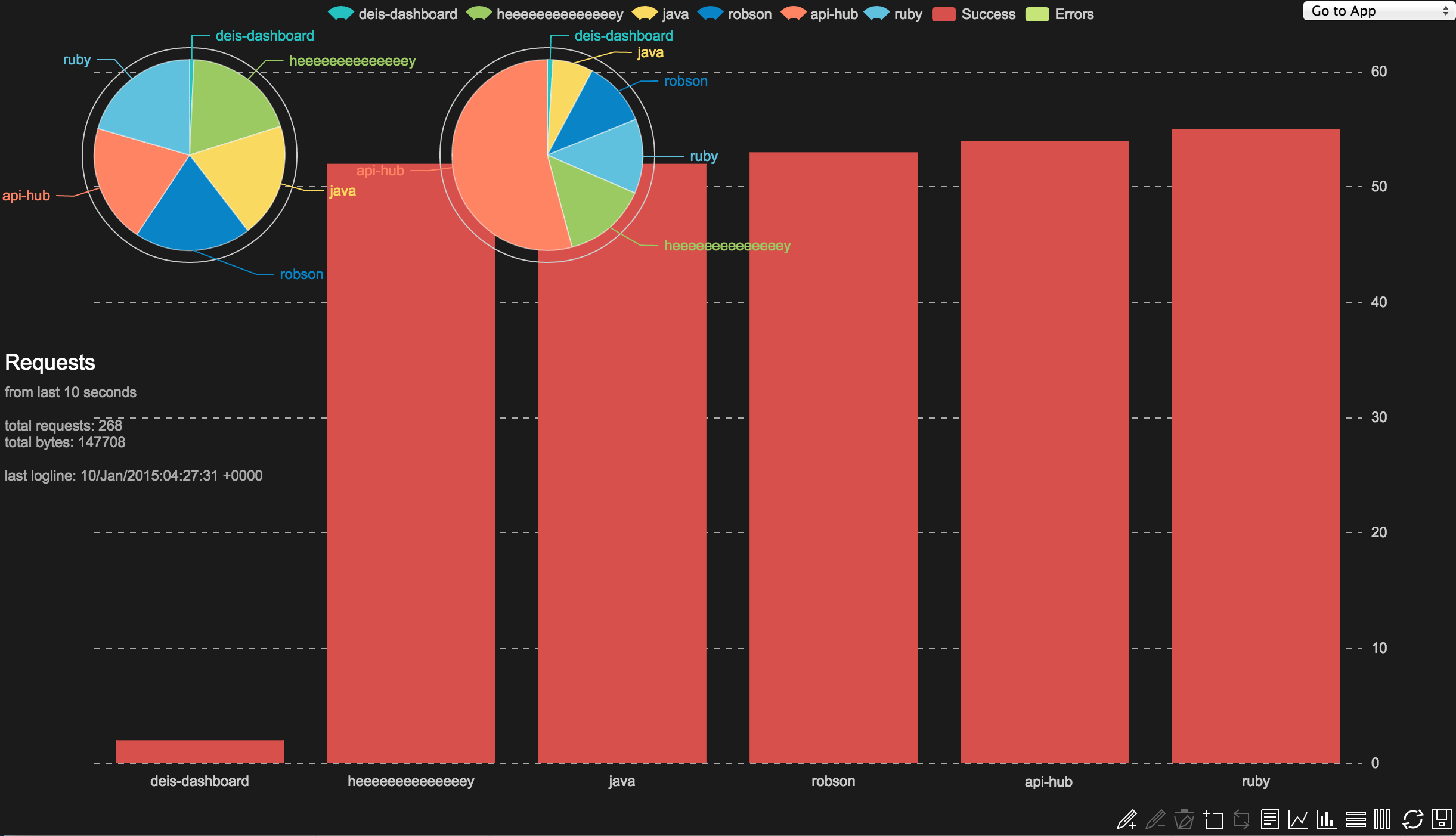
If the instalation successed you may see the screen bellow, if you are not able to see your apps try sending some traffic in your cluster and wait for ~10 seconds
Main Page
The Main Page shows 3 charts
- A pie that shows the percentage of requests of the apps related to cluster total
- A pie that shows the percentage of bytes transfered of the apps related to cluster total
- A bar chart that shows total errors and total successed requests stacked by app
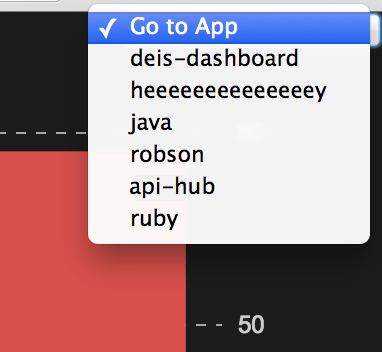
In the top right of the page there is a link for the current apps
Apps Page
The Apps Page show statistics for the last 10 seconds of traffic and 2 horizontal bars:
- total requests
- % of successes / % of errors
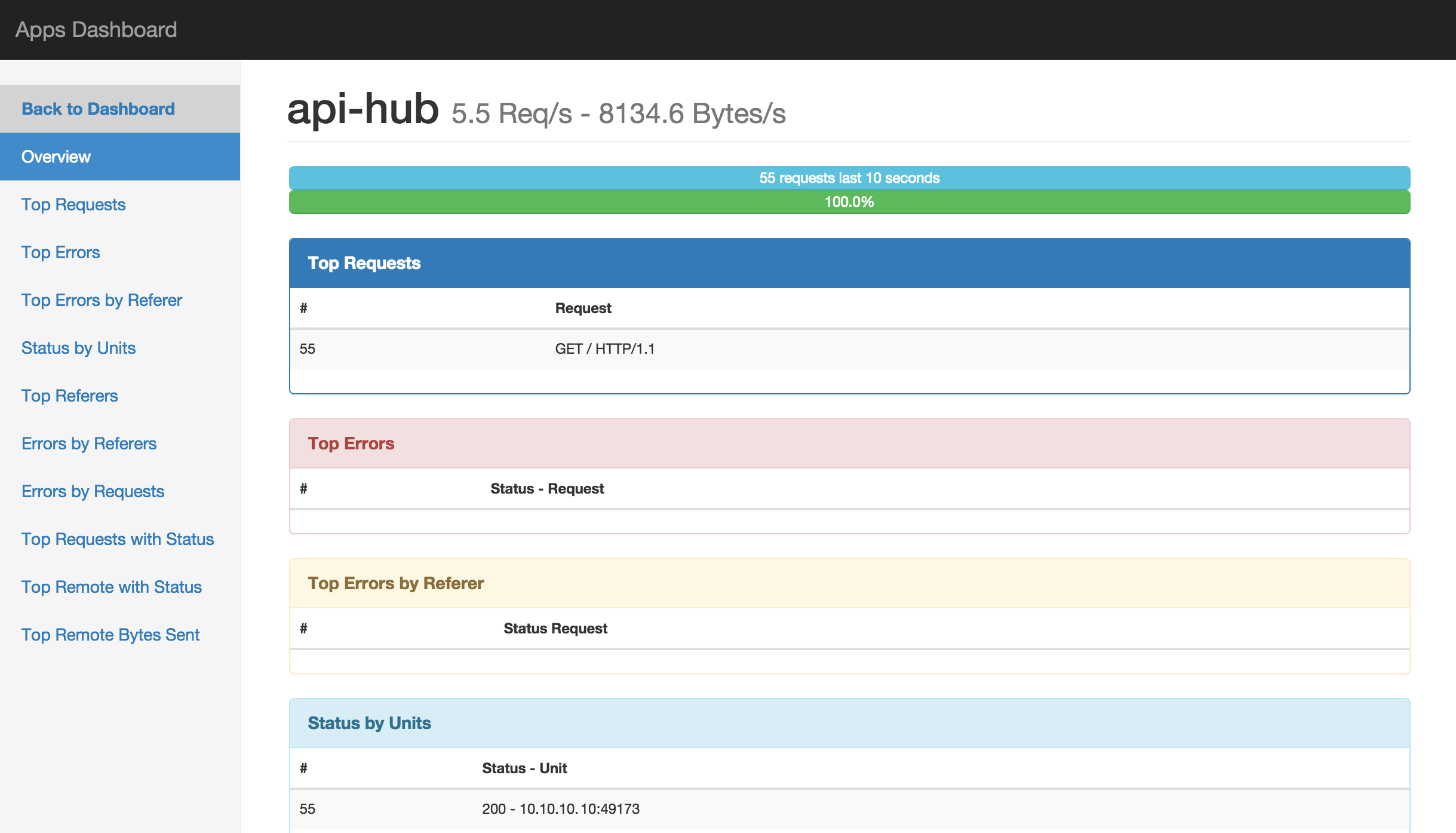
Apps page's navigation menu

ToDo:
add new keys from deis-dashback- fix echart toolbox legends
create links to the appsput total requests on the main dashboardput total requests/s on the main dashboard(unecessary divide by 10...)add etcd suportto get router stats (waiting deis PR)add ENVs for confs- fix etcd nil values
fix chart when no traffic
Know Issues:
- I'm new in go, goweb, bootstrap, etc...
- There is a race condition in redis, sometimes an app appears twice
- pay attention for the "last logline", it shows delays caused by poor performance
Tag summary
Content type
Image
Digest
sha256:668d45aaf…
Size
176.8 MB
Last updated
over 10 years ago
docker pull lorieri/deis-dashboard