marcelmaatkamp/minecraft-docker repository overview
Legendary Java Minecraft + Geyser + Floodgate + Paper Dedicated Server for Docker
This has a discordbot embeded into it which allows people to turn on and off the server at will. This is designed for me and my friends and I will not support this container for anyone else.
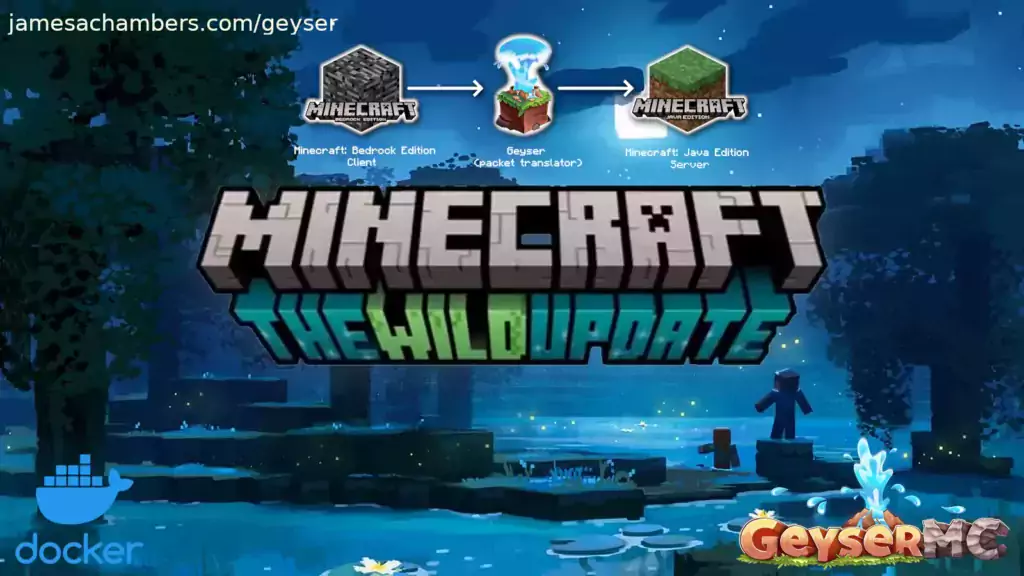
This is the Docker containerized version of my Minecraft Java Paper Dedicated Server for Linux/Raspberry Pi scripts but with Geyser and Floodgate included.
Geyser and Floodgate allow Minecraft Bedrock players to join your Java server!
My main blog article (and the best place for support) is here.
The version without Floodgate and Geyser is here.
The official GitHub repository is located here.
The official Docker Hub repository is located here.
The Bedrock version of the Docker container is available here. This is for Java Minecraft but Bedrock players can connect to it.
Features
- Sets up fully operational Minecraft server that allows both Java and Bedrock clients to connect
- Runs the highly efficient "Paper" Minecraft server
- Runs Geyser to allow Bedrock clients to connect and Floodgate to allow them to authenticate with their Bedrock credentials to a Java server
- Uses named Docker volume for safe and easy to access storage of server data files (which enables more advanced Docker features such as automatic volume backups)
- Plugin support for Paper + Spigot + Bukkit
- Installs and configures OpenJDK 18
- Automatic backups to minecraft/backups when server restarts
- Updates automatically to the latest version when server is started
- Runs on all Docker platforms including Raspberry Pi
- Runs on all Kubernetes platforms including Raspberry Pi
Docker Usage
First you must create a named Docker volume. This can be done with:docker volume create yourvolumenameNow you may launch the server and open the ports necessary with one of the following Docker launch commands:
With default ports:
docker run -it -v yourvolumename:/minecraft -p 25565:25565 -p 19132:19132/udp -p 19132:19132 --restart unless-stopped 05jchambers/legendary-minecraft-geyser-floodgate:latestWith custom ports (this example uses 12345 for the Java port and 54321 for the Bedrock port):
docker run -it -v yourvolumename:/minecraft -p 12345:12345 -e Port=12345 -p 54321:54321/udp -p 54321:54321 -e BedrockPort=54321 --restart unless-stopped 05jchambers/legendary-minecraft-geyser-floodgate:latestWith a custom Minecraft version (add -e Version=1.X.X, must be present on Paper's API servers to work):
docker run -it -v yourvolumename:/minecraft -p 25565:25565 -p 19132:19132/udp -p 19132:19132 -e Version=1.17.1 --restart unless-stopped 05jchambers/legendary-minecraft-geyser-floodgate:latestWith a maximum memory limit in megabytes (optional, prevents crashes on platforms with limited memory, -e MaxMemory=2048):
docker run -it -v yourvolumename:/minecraft -p 25565:25565 -p 19132:19132/udp -p 19132:19132 -e MaxMemory=2048 --restart unless-stopped 05jchambers/legendary-minecraft-geyser-floodgate:latestUsing a different timezone:
docker run -it -v yourvolumename:/minecraft -p 25565:25565 -p 19132:19132/udp -p 19132:19132 -e TZ="America/Denver" --restart unless-stopped 05jchambers/legendary-minecraft-geyser-floodgate:latestSkipping backups on certain folders (comma separated):
docker run -it -v yourvolumename:/minecraft -p 25565:25565 -p 19132:19132/udp -p 19132:19132 -e NoBackup="plugins/ftp,plugins/test2" --restart unless-stopped 05jchambers/legendary-minecraft-geyser-floodgate:latestSkipping permissions check:
docker run -it -v yourvolumename:/minecraft -p 25565:25565 -p 19132:19132/udp -p 19132:19132 -e NoPermCheck="Y" --restart unless-stopped 05jchambers/legendary-minecraft-geyser-floodgate:latestKubernetes Usage
First you must create a suitable PVC using your preferred StorageClass.To run within Kubernetes, you must pass the enviroment variable `k8s="True"` alongside any others you require:
        env:
        - name: MaxMemory
          value: '1024'
        - name: TZ
          value: Europe/London
        - name: k8s
          value: "True"
The pod can be exposed using a LoadBalancer or TCP/UDP Ingress service. See example manifests in the /kubernetes folder of the repo. The examples are based on Longhorn storage backend and a LoadBalancer service - these will need altering to be suitable for your environment.
Configuration / Accessing Server Files
The server data is stored where Docker stores your volumes. This is typically a folder on the host OS that is shared and mounted with the container.You can find your exact path by typing:
docker volume inspect yourvolumename{
"CreatedAt": "2022-05-09T21:08:34-06:00",
"Driver": "local",
"Labels": {},
"Mountpoint": "/var/lib/docker/volumes/yourvolumename/_data",
"Name": "yourvolumename",
"Options": {},
"Scope": "local"
}On Linux it's typically available at:
/var/lib/docker/volumes/yourvolumename/_dataOn Windows it's at
C:\ProgramData\DockerDesktop\wsl$\docker-desktop-data\version-pack-data\community\docker\volumes\On Mac it's typically
~/Library/Containers/com.docker.docker/Data/vms/0/If you are using Docker Desktop on Mac then you need to access the Docker VM with the following command first:
screen ~/Library/Containers/com.docker.docker/Data/com.docker.driver.amd64-linux/ttyMost people will want to edit server.properties. You can make the changes to the file and then restart the container to make them effective.
Backups are stored in the "backups" folder
The Geyser configuration is located in plugins/Geyser-Spigot/config.yml
The Floodgate configuration is located in plugins/floodgate/config.yml
TZ (timezone) Environment Variable
You can change the timezone from the default "America/Denver" to own timezone using this environment variable:docker run -it -v yourvolumename:/minecraft -p 25565:25565 -p 19132:19132/udp -p 19132:19132 -e TZ="America/Denver" --restart unless-stopped 05jchambers/legendary-minecraft-geyser-floodgate:latestBackupCount Environment Variable
By default the server keeps 10 rolling backups that occur each time the container restarts. You can override this using the BackupCount environment variable:docker run -it -v yourvolumename:/minecraft -p 25565:25565 -p 19132:19132/udp -p 19132:19132 -e BackupCount=20 --restart unless-stopped 05jchambers/legendary-minecraft-geyser-floodgate:latestQuietCurl Environment Variable
You can use the QuietCurl environment variable to suppress curl's download output. This will keep your logs tidier but may make it harder to diagnose if something is going wrong. If things are working well it's safe to enable this option and turn it back off so you can see the output if you need to:docker run -it -v yourvolumename:/minecraft -p 25565:25565 -p 19132:19132/udp -p 19132:19132 -e QuietCurl=Y --restart unless-stopped 05jchambers/legendary-minecraft-geyser-floodgate:latestPlugins
This is a "Paper" Minecraft server which has plugin compatibility with Paper / Spigot / Bukkit.Installation is simple. There is a "plugins" folder on your Docker named volume.
Navigate to your server files on your host operating system (see accessing server files section if you don't know where this is) and you will see the "plugins" folder.
You just need to drop the extracted version of the plugin (a .jar file) into this folder and restart the container. That's it!
Some plugins have dependencies so make sure you read the installation guide first for the plugin you are looking at.
A popular place to get plugins is: https://dev.bukkit.org/bukkit-plugins
Troubleshooting Note - Oracle Virtual Machines
A very common problem people have with the Oracle Virtual Machine tutorials out there that typically show you how to use a free VM is that the VM is much more difficult to configure than just about any other product / offering out there.The symptom you will have is that nobody will be able to connect.
It is because there are several steps you need to take to open the ports on the Oracle VM. You need to both:
- Set the ingress ports (TCP/UDP) in the Virtual Cloud Network (VCN) security list
- *and* set the ingress ports in a Network Security Group assigned to your instance
Both of these settings are typically required before you will be able to connect to your VM instance. This is purely configuration related and has nothing to do with the script or the Minecraft server itself.
I do not recommend this platform due to the configuration difficulty but the people who have gone through the pain of configuring an Oracle VM have had good experiences with it after that point. Just keep in mind it's going to be a rough ride through the configuration for most people.
Here are some additional links:
- https://jamesachambers.com/official-minecraft-bedrock-dedicated-server-on-raspberry-pi/comment-page-8/#comment-13946
- https://jamesachambers.com/minecraft-bedrock-edition-ubuntu-dedicated-server-guide/comment-page-53/#comment-13936
- https://jamesachambers.com/minecraft-bedrock-edition-ubuntu-dedicated-server-guide/comment-page-49/#comment-13377
- https://jamesachambers.com/legendary-minecraft-bedrock-container/comment-page-2/#comment-13706
Troubleshooting Note - Hyper-V
There is a weird bug in Hyper-V that breaks UDP connections on the Minecraft server. There are two fixes for this. The simplest fix is that you have to use a Generation 1 VM with the Legacy LAN network driver.See the following links:
- https://jamesachambers.com/minecraft-bedrock-edition-ubuntu-dedicated-server-guide/comment-page-54/#comment-13863
- https://jamesachambers.com/minecraft-bedrock-edition-ubuntu-dedicated-server-guide/comment-page-56/#comment-14207
You need to install ethtool first with sudo apt install ethtool. Next in your /etc/network/interfaces file add "offload-tx off" to the bottom as the issue appears to be with TX offloading.
Here's an example:
# The primary network interface
auto eth0
iface eth0 inet static
address 192.168.1.5
netmask 255.255.255.0
network 192.168.1.0
broadcast 192.168.1.255
gateway 192.168.1.1
offload-tx offethtool -K eth0 tx offBuy A Coffee / Donate
People have expressed some interest in this (you are all saints, thank you, truly)
- PayPal: [email protected]
- Venmo: @JamesAChambers
- CashApp: $theremote
- Bitcoin (BTC): 3H6wkPnL1Kvne7dJQS8h7wB4vndB9KxZP7
Update History
- April 18th 2023
- Add NoViaVersion environment variable to disable using ViaVersion in case of incompatible plugins
- March 25th 2023
- Migrate paper.yml to paper-global.yml (thanks karl007, Issue #21)
- March 16th 2023
- Update to Paper 1.19.4
- March 15th 2023
- Add ViaVersion plugin to allow players on newer clients to connect to the server (very helpful when waiting for new updates to be released)
- Fix Geyser and Floodgate update checks
- January 25th 2023
- Removed check for terminal and will let the Minecraft server throw an error if environment is not appropriate
- January 14th 2023
- Change google.com connectivity change to papermc.io as Google is blocked in some countries causing the connectivity check to fail when a connection to papermc.io would have succeeded (thanks Misakaou, Issue #14
- January 12th 2023
- Remove broken ScheduleRestart environment variable -- this needs to be done in your OS using docker restart (typically with crontab in Linux or Task Scheduler in Windows)
- December 7th 2022
- Update to 1.19.3 (thanks WarpOverload, issue #9)
- November 19th 2022
- Add "QuietCurl" environment variable which will suppress the progress meter on curl keeping the logs much tidier (thanks willman42, PR #6
- Remove fixpermissions.sh and add 3 lines into main start.sh file
- November 7th 2022
- Fail immediately if ran without an interactive terminal (as the Minecraft server won't work without one)
- October 30th 2022
- Add RISC architecture support
- Switch from ubuntu:latest to ubuntu:rolling
- Switch from using Adoptium to using ubuntu:rolling OpenJDK
- Removed SetupMinecraft.sh
- Fix bug with new ScheduleRestart environment variable
- October 21st 2022
- Added new environment variable "BackupCount" to control the number of backups the container keeps
- NoBackup optional environment variable can now be multiple paths to files to skip backups on separated by a comma. Example: plugins/test,plugins/test2
- October 20th 2022
- Added new environment variable "NoBackup" to skip a folder from backup activities
- Added new environment variable "NoPermCheck" to skip permissions check during startup
- Added new environment variable "ScheduleRestart" -- this schedules the container to shut down at a certain time which combined with the --restart switch gives daily reboot functionality
- October 8th 2022
- Upgrade to OpenJDK 19
- September 27th 2022
- Fix SIGTERM catching in certain situations by running java with the "exec" command which passes execution completely to that process (thanks vp-en)
- Remove screen dependency
- September 20th 2022
- Fixed Geyser update code (thanks vp-en)
- Update to OpenJDK 18.0.2.1
- August 29th 2022
- Add environment variables section to docker-compose.yml template
- Add optional TZ environment variable to set timezone
- August 28th 2022
- Additional fix for #2 by adding a default config.yml for the server to use for Geyser (thanks vecnar, issue #2)
- August 27th 2022
- Fix broken Geyser-Spigot config.yml issue (thanks vecnar, issue #2)
- August 22nd 2022
- Add NoScreen environment variable -- disables screen which prevents needing an interactive terminal (but disables some logging)
- Fix issue #1 (thanks Sam7, issue #1)
- August 18th 2022
- Test rolling back OpenJDK version slightly to earlier version of OpenJDK 18 previous to 10th-11th gen Intel CPU bugs
- August 17th 2022
- Add XX:-UseAESCTRIntrinsics to java launch line to prevent encryption issue on 10th Gen Intel processors
- August 10th 2022
- Adjust query.port in server.properties to be the same as the main server port to keep the "ping port" working properly
- Add enforce-secure-profile=false to default server.properties to prevent login errors
- Add text editor inside the container (nano) for diagnostic/troubleshooting purposes
- August 6th 2022
- Initial release
Tag summary
Content type
Image
Digest
sha256:2eeac55a3…
Size
345.3 MB
Last updated
over 3 years ago
docker pull marcelmaatkamp/minecraft-docker