pipepito/acestream-scraper
Get all the acestream:// from multiple sites together into a single list, with Zeronet support.
50K+
pipepito/acestream-scraper repository overview
Acestream Ids Scraper
A self-hosted web app for discovering AceStream streams, organizing TV channels, and watching or sharing your catalogue.
Docker command builder · User guides · Source code
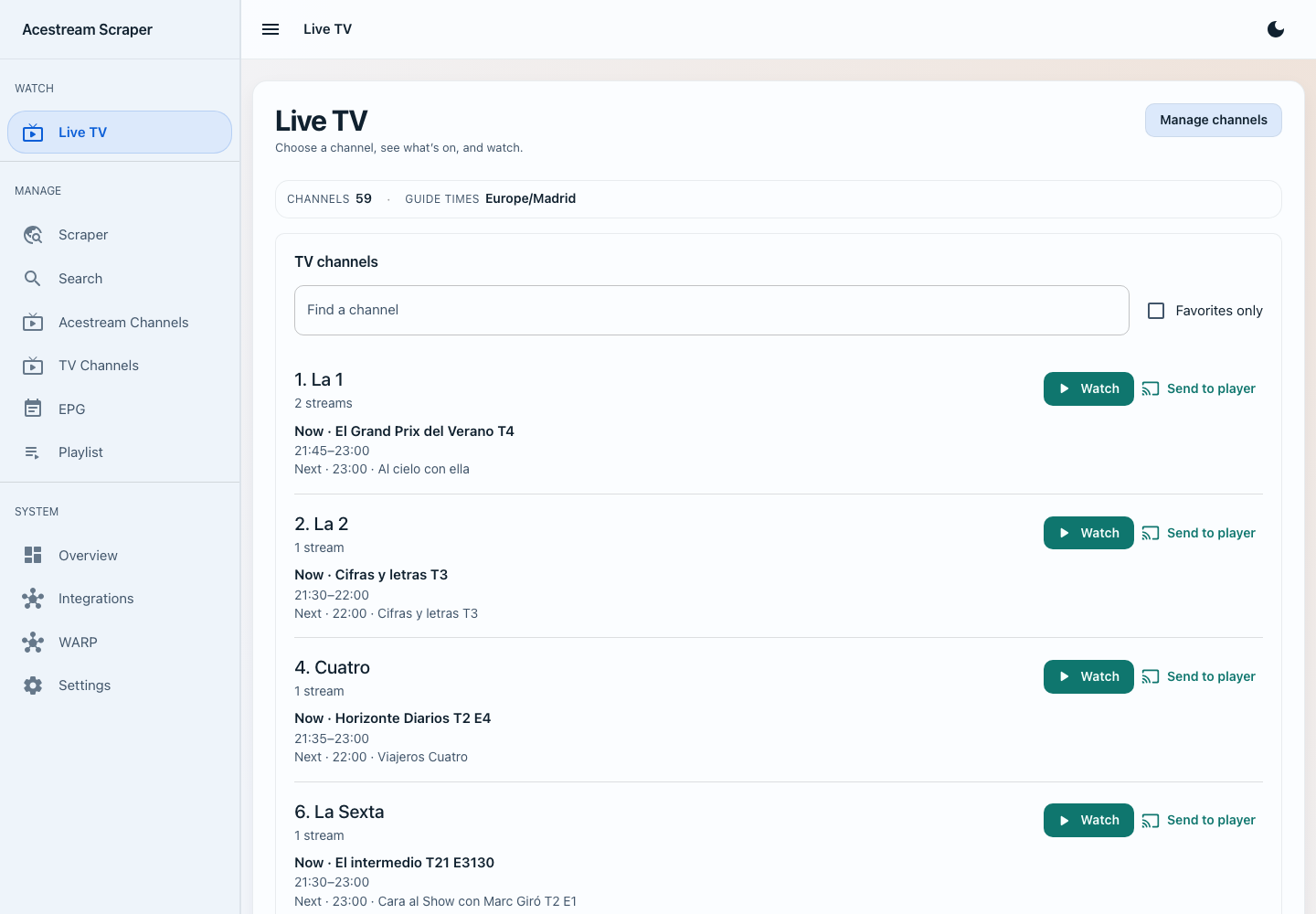
Features
- Import sources from web pages, playlists, JSON, text, ZeroNet, and IPFS.
- Organize channels with numbers, categories, favorites, and programme guides.
- Watch Live TV in your browser, including stream and audio selection.
- Export M3U playlists, control VLC/Kodi, or connect Jellyfin/Plex.
- Schedule refreshes, check stream signal, and review service and job history.
Scraping and playlist management work without an engine. Browser playback requires a configured playback engine. Choose optional bundled services or connect external ones.
Get started
Use the Docker command builder for a ready-to-copy Docker command or Compose file with the right ports, persistent storage, and enabled services.
Follow the installation guide, then the first-run walkthrough. Persist /app/config to keep your catalogue and settings across container updates.
What's included in latest?
pipepito/acestream-scraper:latest is the full image: the web app and its optional companion software in one container.
| Software | What it does | With default settings |
|---|---|---|
| Scraper web app | Sources, TV channels, programme guides, playlists, and integrations | Starts automatically |
| FFmpeg and ffprobe | Prepare browser playback and inspect stream media | Used when needed |
| AceStream Engine | Connect to AceStream streams for playback and signal checks | Off until enabled |
| Acexy | Provide an HTTP proxy for AceStream playback | Off until enabled |
| Cloudflare WARP | Route outbound traffic through WARP | Off until enabled |
| IPFS (Kubo) | Fetch sources from IPFS and IPNS | Off until enabled |
| ZeroNet and Tor | Fetch sources through a local ZeroNet node, with optional Tor | Off until enabled |
Included does not mean running. With no service options set, latest starts the web app; the engine, proxy, and other optional services stay off. Enable the ones you want in the Docker command builder. Browser playback needs a bundled or external playback engine.
WARP, Kubo, ZeroNet, and Tor are bundled on amd64 and arm64. The app, FFmpeg, and the relevant engine/proxy variants also cover arm/v7, where bundled AceStream remains experimental. See platform requirements for details.
Choose your image
All tags below use the pipepito/acestream-scraper repository. Choose a smaller variant if you already run your own engine or don't need the proxy.
| Image tag | AceStream included | Acexy included | Best fit |
|---|---|---|---|
latest | Yes | Yes | Full package for the current release |
scraper-acestream-acexy | Yes | Yes | Explicit name for the same full package |
scraper-acestream | Yes | No | Bundled engine, without Acexy |
scraper-acexy | No | Yes | Acexy connected to your external engine |
scraper | No | No | Scraping and playlists, or your own playback services |
Every variant keeps the web app and FFmpeg, plus WARP, Kubo, ZeroNet, and Tor on supported platforms. Changing the image selects which software is installed; the command builder selects which services start.
Use latest for the current release, vX.Y.Z or vX.Y.Z-<flavor> to pin a release, and develop or develop-<flavor> to try changes for the next one. See the full image guide for setup details.
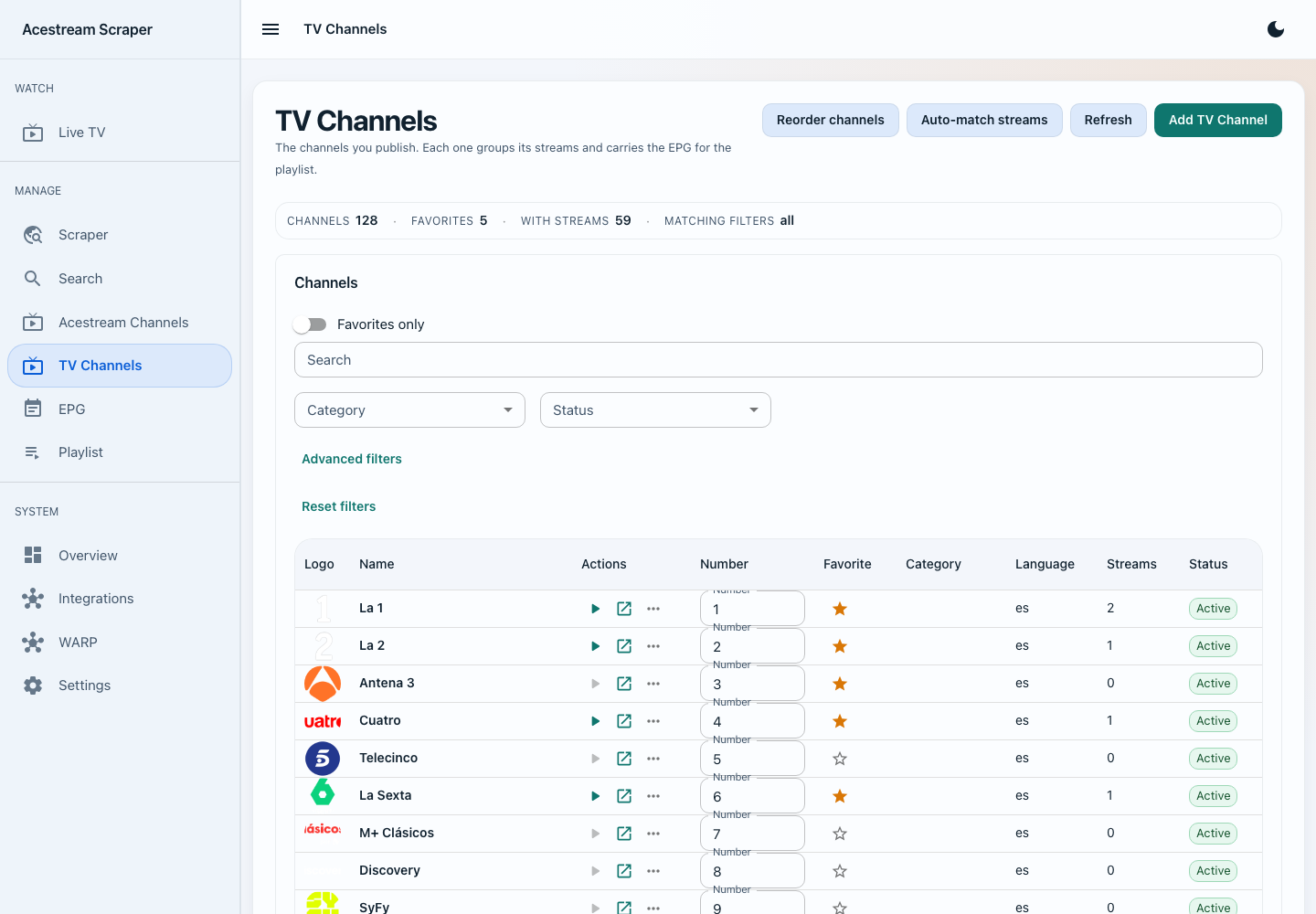
Your channel catalogue
Organize stations, channel numbers, and favorites before watching or sharing a playlist.
Guides and support
Configuration · Storage · Troubleshooting · Report a bug
Tag summary
Content type
Image
Digest
sha256:3a7d71c0c…
Size
563.5 MB
Last updated
4 days ago
docker pull pipepito/acestream-scraper