superng6/qbittorrent
[全平台 x86-64、arm64、arm32 ] qBittorrent 中国优化版
Image
127
500K+
superng6/qbittorrent repository overview
Docker qBittorrent 中国优化版
博客:https://sleele.com/2020/04/09/docker-qbittorrent-optimizing
Docker Hub:https://hub.docker.com/r/superng6/qbittorrent
GitHub:https://github.com/SuperNG6/Docker-qBittorrent
本镜像的一些优点
- 全平台架构
x86-64、arm64、arm32 - 默认简体中文
- 针对国内的的BT下载情况,优化了默认配置
- 做了usermapping,使用你自己的账户权限来运行,这点对于群辉来说尤其重要
- 纯qBittorrent,没有包含多于的服务
- 自编译静态版本,同步更新最新版本qbittorrent
- 开放了BT下载DTH监听端口、BT下载监听端口(TCP/UDP 6881),加快下载速度
- 默认开启DHT,加速下载
- 自动更新trackers(来自XIU2 / TrackersListCollection,感谢)
- 默认上海时区 Asia/Shanghai
- 启动容器时自动更新trackers
Architecture
| Architecture | Tag |
|---|---|
| x86-64 | latest |
| arm64 | latest |
| arm32 | latest |
Changelogs
2021/07/14
  1、更新qBittorrent 4.3.5,4.3.6
  2、对于 外网401"unauthorized"这种情况进行讲解
  更新qBittorrent设置里修改端口,内外网用一样的端口
  webui设置里禁用Host header 属性验证 也可解决这个问题,新版已默认勾选这个选项,不过最好还是检查一下是否勾选上了
2021/02/04
1、更新qBittorrent 4.3.3
2021/01/14
  1、默认禁用Host header属性验证,很多人改变宿主机端口时发现无法访问webui就是这个原因
  2、推荐使用4.3.1版本,4.3.2版本添加任务后不会自动开始,请等待下个版本修复
Changelogs
2020/11/28
  1、更换回自编译静态版本,大幅减小镜像体积
  2、增加版本控制,可以下载历史版本qbittorrent
2020/04/13
1、添加启动容器时自动更新trackers功能(脚本修改自gshang2017,感谢)
2020/04/09
  1、放弃之前自编译方案
  2、基于`linuxserver/qbittorrent`构建,仅添加了配置文件,默认中文,上海时区
  3、自带优化后的config,减少设置,开箱即用
  4、稳定,由`linuxserver/qbittorrent`维护
  5、每周一拉取`linuxserver/qbittorrent`最新镜像。自动构建构建,保持最新
2020/02/03
  1、第一次提交
  2、优化镜像体积、最大化减小镜像尺寸
  3、多平台构建`x86-64`、`arm64·
  4、优化conf配置
  5、默认简体中文
Preview
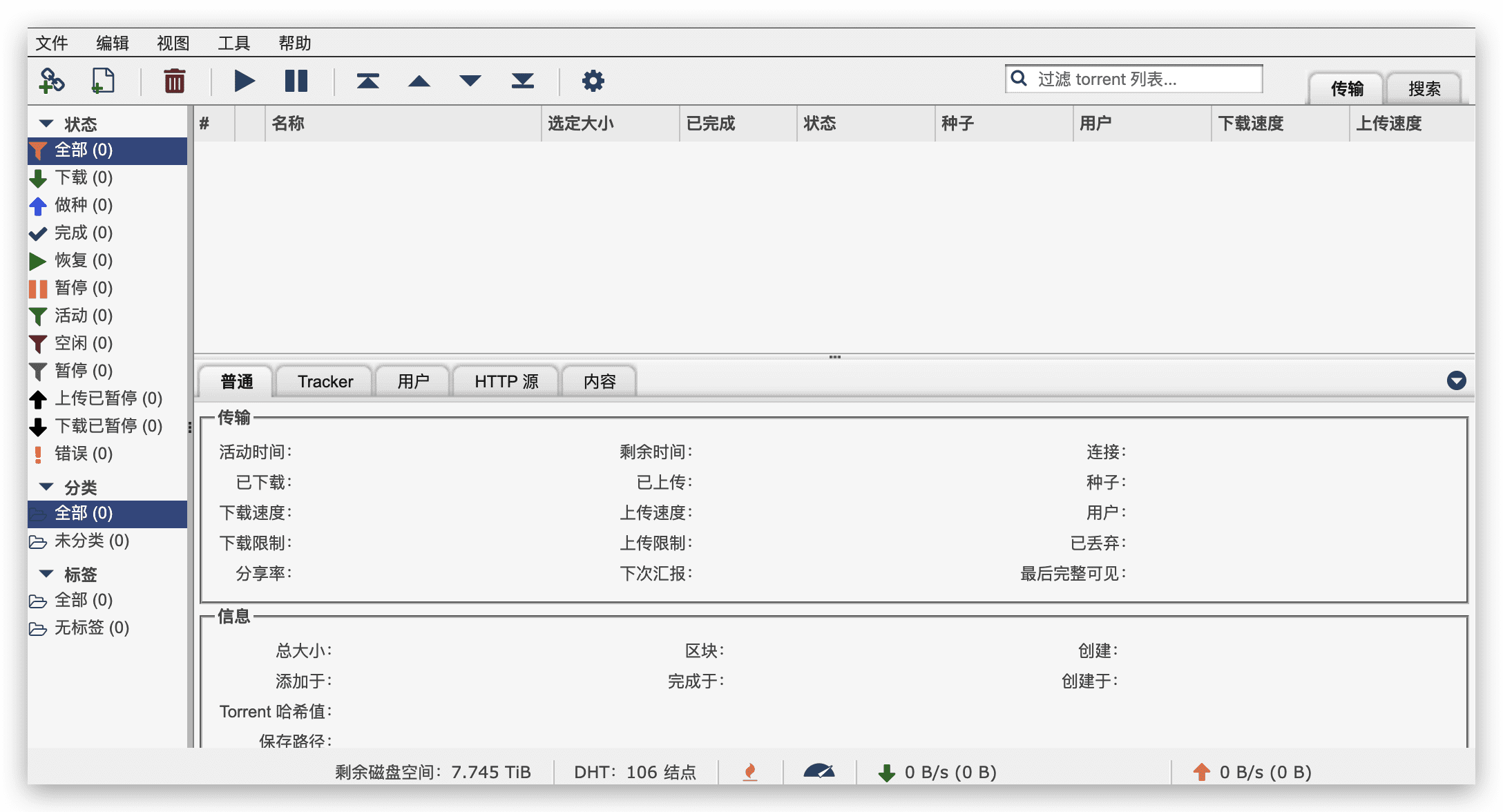
Document
挂载路径
/config /downloads
关于群晖
群晖用户请使用你当前的用户SSH进系统,输入 id 你的用户id 获取到你的UID和GID并输入进去
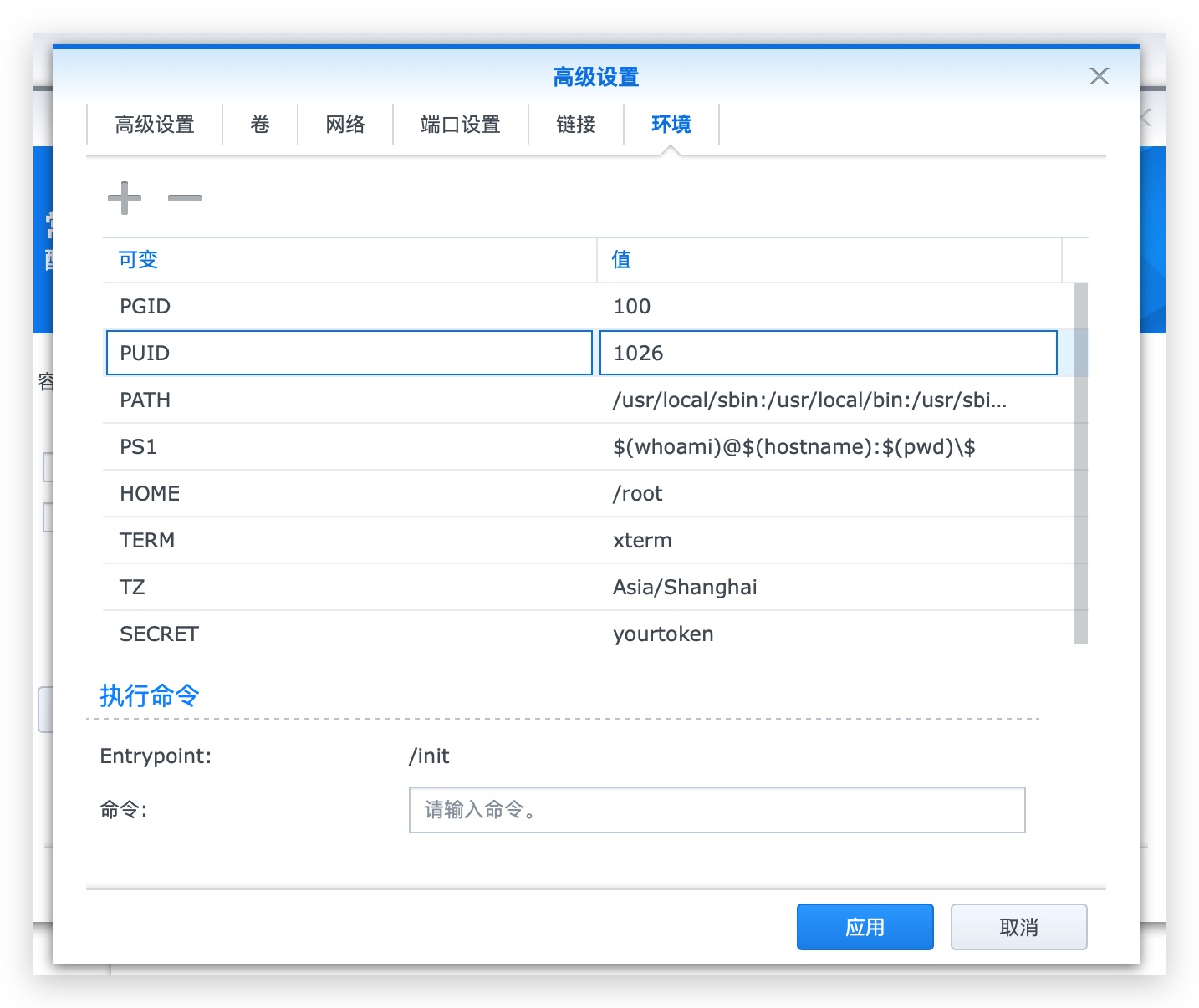
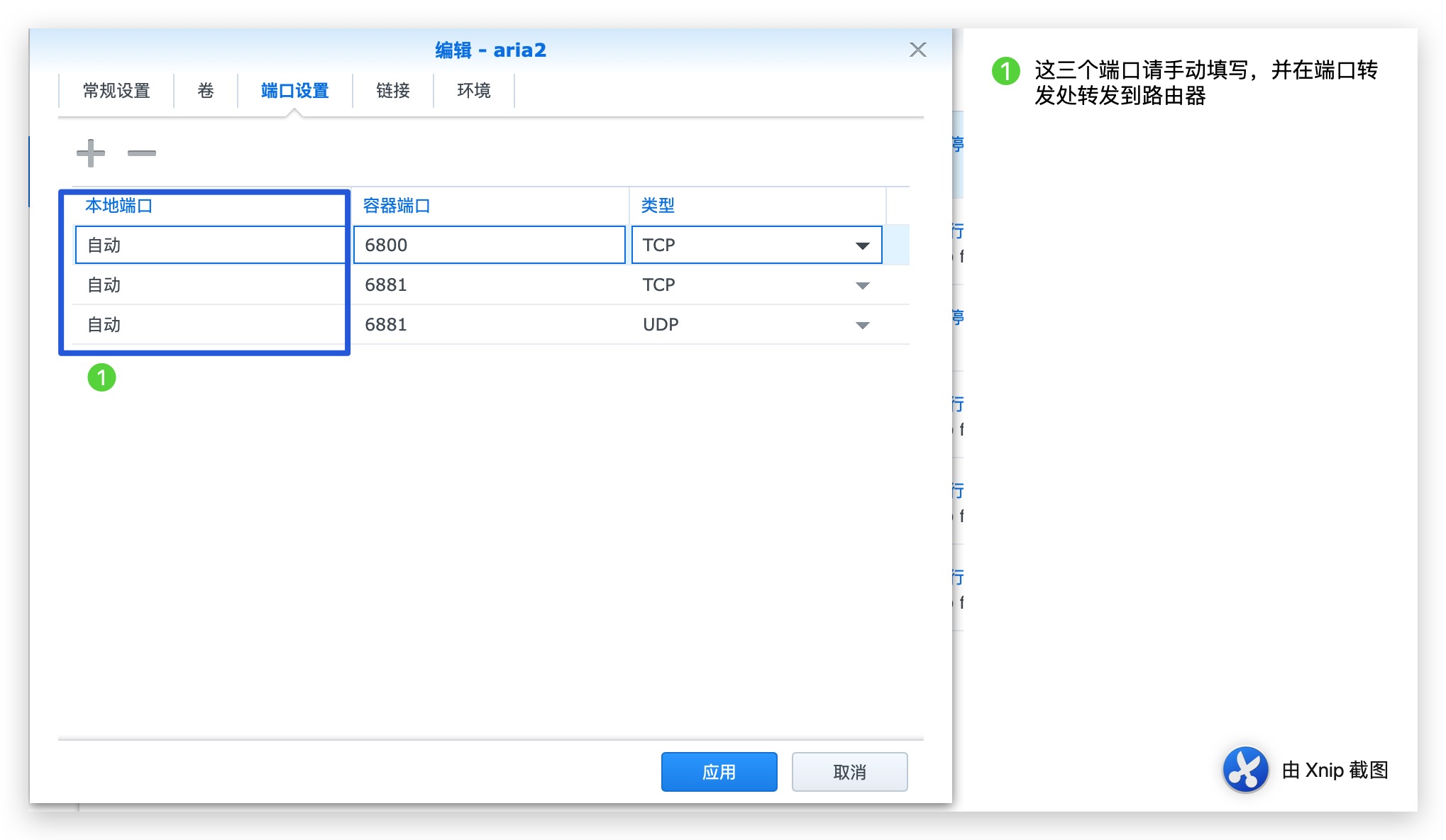
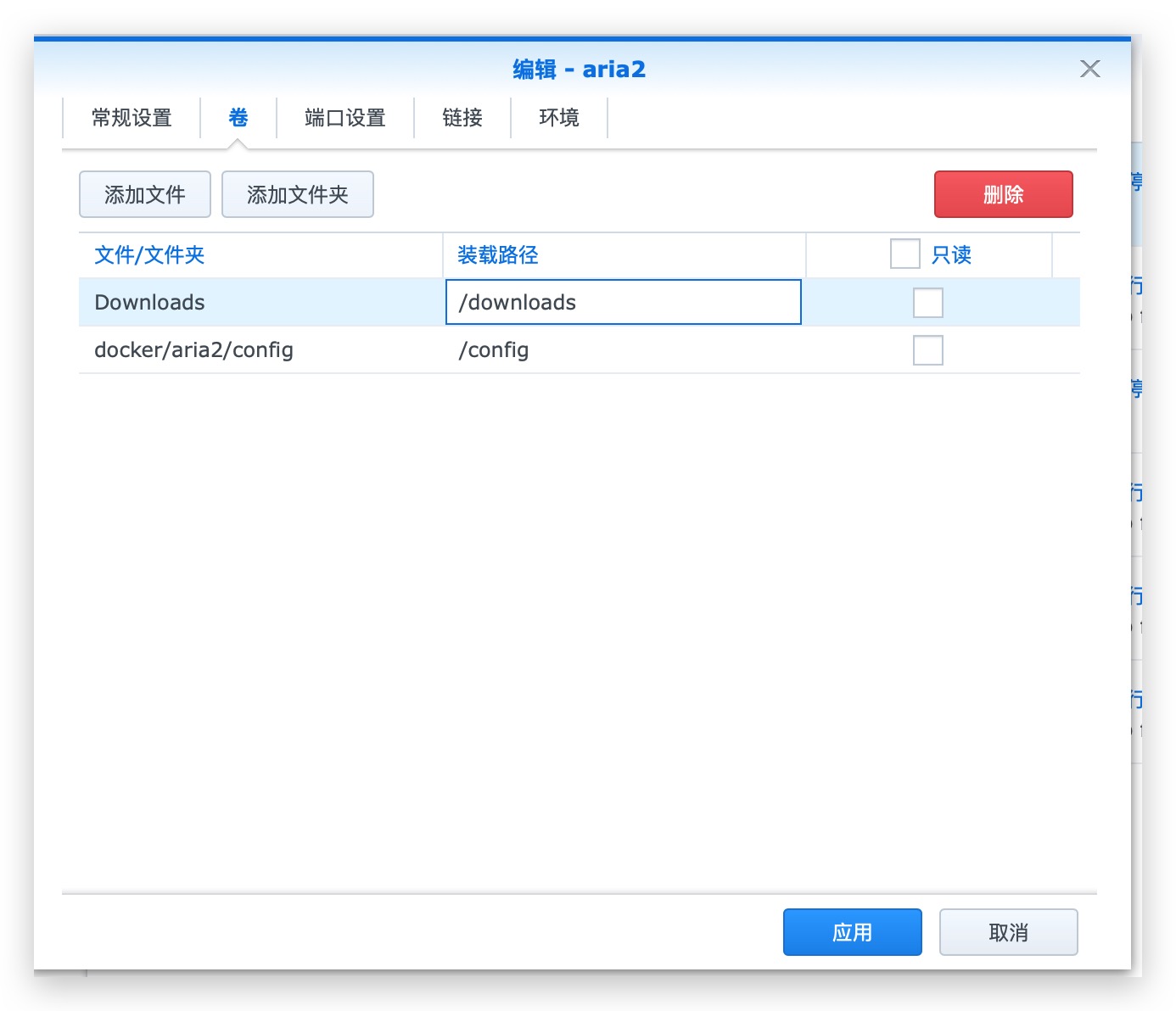
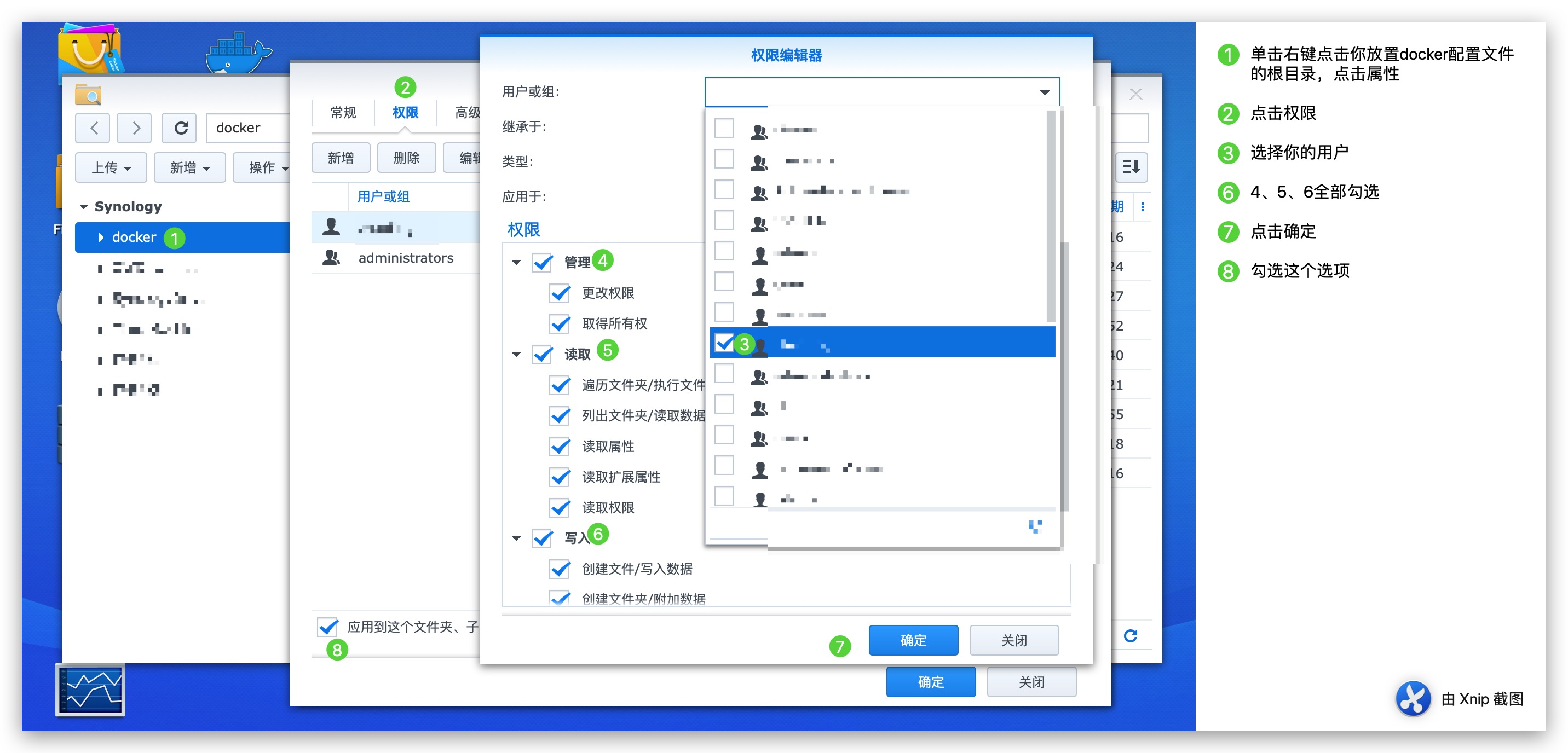
权限管理设置
对你的docker配置文件夹的根目录进行如图操作,你的下载文件夹的根目录进行相似操作,去掉管理这个权限,只给写入,读取权限
Linux
输入 id 你的用户id 获取到你的UID和GID,替换命令中的PUID、PGID
执行命令
docker create  \
    --name=qbittorrent  \
    -e WEBUIPORT=8080  \
    -e PUID=1026 \
    -e PGID=100 \
    -e TZ=Asia/Shanghai \
    -p 6881:6881  \
    -p 6881:6881/udp  \
    -p 8080:8080  \
    -v /配置文件位置:/config  \
    -v /下载位置:/downloads  \
    --restart unless-stopped  \
    superng6/qbittorrent:latest
docker-compose
version: "2"
services:
  qbittorrent:
    image: superng6/qbittorrent
    container_name: qbittorrent
    environment:
      - PUID=1026
      - PGID=100
      - TZ=Asia/Shanghai
    volumes:
      - /path/to/appdata/config:/config
      - /path/to/downloads:/downloads
    ports:
      - 6881:6881
      - 6881:6881/udp
      - 8080:8080
    restart: unless-stopped
Tag summary
Content type
Image
Digest
sha256:8db863616…
Size
62.1 MB
Last updated
about 1 month ago
docker pull superng6/qbittorrent