utensils/envisaged
Envisaged - Dockerized Gource Visualizations
10K+
utensils/envisaged repository overview
Envisaged - Dockerized Gource Visualizations





Built on top of utensils/opengl:stable (Alpine 3.12). No GPU is required, this will run on any machine, such as a standard EC2 instance or any other VPS.
About
Painless data visualizations from git history showing a repositories development progression over time.
This container combines the awesome Gource program with the power of FFmpeg and the h.264 codec to bring you high resolution (up to 4k at 60fps) video visualizations.
This container is 100% headless, it does this by leveraging Xvfb combined with the Mesa 3d Gallium llvmpipe Driver. Unlike other docker containers with Gource, this container does not eat up 100's of gigabtyes of disk space, nor does it require an actual GPU to run. The process runs the Gource simulation concurrently with the FFmpeg encoding process using a set of named pipes. There is a slight trade off in performance, but this makes it very easy to run in any environment such as AWS without the need to provision large amounts of storage, or run any cleanup.
Envisaged uses "template" scripts to generate specific looks, such as the one included in this container which is simply called border which places a frame around the Gource visualization and isolates the date and key on the outside of this border. If you would like to run the container with normal Gource output, simply pass -e TEMPLATE=none and it will use the no_template.sh script.
This container is configurable through environment variables listed below. The generated video is delivered via HTTP.
Example videos
| GitHub Repo | YouTube Video |
|---|---|
| Elixir School | 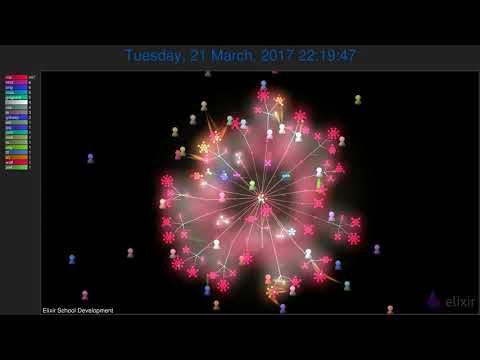 |
| Kubernetes | 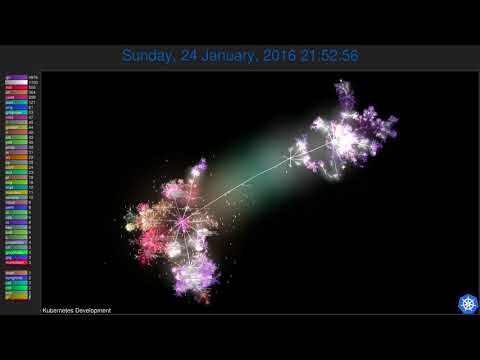 |
| Elixir Lang | 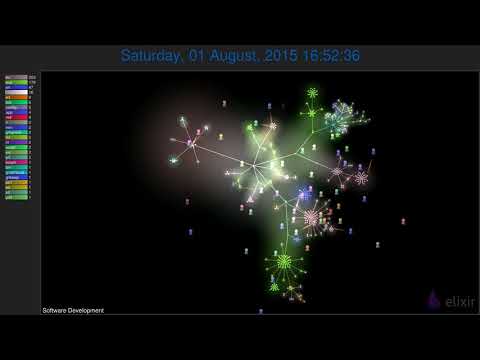 |
Usage Examples
Run with the default settings which will create a visualization of the Docker GitHub repository.
Notice we are exposing port 80, the final video will be served at http://localhost:8080/
The following example will run a visualization on the Kubernetes GitHub repository and include the Kubernetes logo in the video.
docker run --rm -p 8080:80 --name envisaged \
       -e GIT_URL=https://github.com/kubernetes/kubernetes.git \
       -e LOGO_URL=https://raw.githubusercontent.com/kubernetes/kubernetes/master/logo/logo.png \
       -e GOURCE_TITLE="Kubernetes Development" \
       utensils/envisaged
Running a visualization against a local git repo.
docker run --rm -p 8080:80 --name envisaged \
       -v /path/to/your/repo:/visualization/git_repo:ro \
       -e GOURCE_TITLE="Your Project Development" \
       utensils/envisaged
You can also combine multiple repositories into a single rendering by mounting a directory of repository
directories onto /visualization/git_repos (the plural of visualization/git_repo).
docker run --rm -p 8080:80 --name envisaged \
       -v /path/to/your/repos:/visualization/git_repos:ro \
       -e GOURCE_TITLE="Your Project Development" \
       utensils/envisaged
Optionally, you can have gource render avatars of the authors by mounting a volume with images of the authors.
docker run --rm -p 8080:80 --name envisaged \
       -v /path/to/your/repo:/visualization/git_repo:ro \
       -v /path/to/your/avatars:/visualization/avatars:ro \
       -e GOURCE_TITLE="Your Project Development" \
       utensils/envisaged
The avatars in that directory must have filenames that match the author id, e.g. utensils.gif, etc.
Now open your browser to http://localhost:8080/ and once the video is completed you will see the link with the video size.
Environment Variables
| Variable | Default Value | Description |
|---|---|---|
GIT_URL | <docker repo on GH> | URL of git repository to be cloned and analyzed for visualization. |
LOGO_URL | <docker logo> | URL of logo to be overlayed in lower right hand corner of video. |
H264_PRESET | medium | h.264 encoding preset. refer to FFmpeg's wiki. |
H264_CRF | 23 | The Constant Rate Factor (CRF) is the default quality for h.264 encoding. refer to FFmpeg's wiki. |
H264_LEVEL | 5.1 | h.264 encoding level. Refer to FFmpeg's wiki. |
VIDEO_RESOLUTION | 1080p | Output video resolution, options are 2160p, 1440p, 1080p, 720p |
GOURCE_FPS | 60 | Output video frame rate |
TEMPLATE | border | This is the template script that will be run. Options are border, and none. |
GOURCE_TITLE | Software Development | Title to be displayed in the lower left hand corner of video. |
OVERLAY_FONT_COLOR | 0f5ca8 | Font color to be used on the overlay (Date only). |
GOURCE_CAMERA_MODE | overview | Camera mode (overview, track). |
GOURCE_SECONDS_PER_DAY | 0.1 | Speed of simulation in seconds per day. |
GOURCE_TIME_SCALE | 1.5 | Change simulation time scale. |
GOURCE_USER_SCALE | 1.5 | Change scale of user avatars. |
GOURCE_AUTO_SKIP_SECONDS | 0.5 | Skip to next entry if nothing happens for a number of seconds. |
GOURCE_BACKGROUND_COLOR | 000000 | Background color in hex. |
GOURCE_TEXT_COLOR | FFFFFF | Not Implemented. |
GOURCE_HIDE_ITEMS | usernames,mouse,date,filenames | Hide one or more display elements |
GOURCE_FONT_SIZE | 48 | Not Implemented. |
GOURCE_DIR_DEPTH | 3 | Draw names of directories down to a specific depth in the tree. |
GOURCE_FILENAME_TIME | 2 | Duration to keep filenames on screen (>= 2.0). |
GOURCE_MAX_USER_SPEED | 500 | Max speed users can travel per second. |
INVERT_COLORS | false | Inverts the colors on the visualization. |
Tag summary
Content type
Image
Digest
sha256:769eec040…
Size
128.1 MB
Last updated
almost 2 years ago
docker pull utensils/envisaged